




















CEB1590SS2SS General Electric Microwave - Overview
Sections of the CEB1590SS2SS
[Viewing 6 of 6]


Manuals & Care Guides for CEB1590SS2SS
Click to downloadInstall
Installation Instructions
(0.14MB)
Manual
Owner's Manuals
(3.04MB)
Manual
Owner's Manuals
(0.43MB)
Keep searches simple, eg. "belt" or "pump".

Microwave Fuse
PartSelect #: PS1481237
Manufacturer #: WB27X10928
This ceramic microwave fuse is just over an inch in length. It is white in the center, and metal on both ends. This is a 20-amp fuse, and is used to power your microwave. If the touch pad on the micro...
$25.31
Special Order
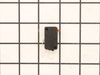
Primary Door Interlock Switch
PartSelect #: PS237015
Manufacturer #: WB24X10047
This interlock switch is located in the door latch.
$54.49
Special Order

Monitor Interlock Switch
PartSelect #: PS11766871
Manufacturer #: WB24X25397
If your microwave won’t start even though the door is shut, this switch might be the reason. It helps your microwave know the door is closed so it can run safely. This genuine part is easy to install ...
No Longer Available
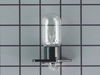
Oven Lamp
PartSelect #: PS247334
Manufacturer #: WB36X10131
This light assembly helps you see your food while it’s cooking in the microwave. It includes a small bulb and socket that fit inside the unit, giving you a clear view through the door. If your microwa...
$35.95
Special Order
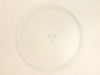
Glass Cooking Tray
PartSelect #: PS956214
Manufacturer #: WB49X10129
There are two different couplers (also known as a turntable shaft) that can be used for this tray - a male D-shaped shaft and a female D-shaped shaft. The couplers are sold separately.
No Longer Available

Microwave Thermostat
PartSelect #: PS2321365
Manufacturer #: WB21X10148
This part will trip once the inside of the cavity overheats and exceeds the recommended temperature.
$44.34
Special Order

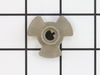
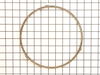
Turntable Guide With Rollers
PartSelect #: PS223995
Manufacturer #: WB02X10719
This roller guide sits underneath the glass turntable tray.
No Longer Available
Questions And Answers for CEB1590SS2SS
We're sorry, but our Q&A experts are temporarily unavailable.
Please check back later if you still haven't found the answer you need.
Common Symptoms of the CEB1590SS2SS
[Viewing 5 of 5]No heat
Fixed by
these parts
these parts


Show All
Won’t turn on
Fixed by
these parts
these parts

Show All
Touchpad does not respond
Fixed by
these parts
these parts
Show All
Doesn’t shut off
Fixed by
these parts
these parts

Show All
Tray won’t turn
Fixed by
these parts
these parts


Show All


Keep searches simple. Use keywords, e.g. "leaking", "pump", "broken" or "fit".
Microwave completely stopped working
Turned out the issue was easily solved by replacing a single, inexpensive fuse.
First off, UNPLUG THE MICROWAVE.
The fuse is located under the plastic grill at the top of the microwave. It's held on by two screws. Once you've removed the screws and taken off the plastic grill, you go to the right side of the microwave and remove another screw that holds a small metal grill in place. Removing the small metal grill is probably the toughest part of this repair. You kind of have to rock it back and forth a bit to get it to release. Once that's off, you can get to the fuse. I removed the burnt out one with a pair of needle nose pliers. I also put a small piece of cardboard under the fuse when I did this so I didn't accidentally drop it into the innards of the microwave. I did the same thing when I replaced the new fuse. I then plugged the appliance back in and made sure it worked. Once that was confirmed, I replaced both grills.
First off, UNPLUG THE MICROWAVE.
The fuse is located under the plastic grill at the top of the microwave. It's held on by two screws. Once you've removed the screws and taken off the plastic grill, you go to the right side of the microwave and remove another screw that holds a small metal grill in place. Removing the small metal grill is probably the toughest part of this repair. You kind of have to rock it back and forth a bit to get it to release. Once that's off, you can get to the fuse. I removed the burnt out one with a pair of needle nose pliers. I also put a small piece of cardboard under the fuse when I did this so I didn't accidentally drop it into the innards of the microwave. I did the same thing when I replaced the new fuse. I then plugged the appliance back in and made sure it worked. Once that was confirmed, I replaced both grills.
Parts Used:
-
Kim from Cliffside Park, NJ
-
Difficulty Level:Really Easy
-
Total Repair Time:15 - 30 mins
-
Tools:Screw drivers
964 of 1257 people
found this instruction helpful.
Was this instruction helpful to you?
Thank you for voting!
Bulb Replacement
Remove shroud . Two black philips head screws on side, and several on the back side. The two bottom screws on the back are special screws that a philips,straight slot, or hex screwdriver will not remove. I took a dremel tool with a thin metal grinding disc and created a straight slot through the centr of the two bottom screws. This allowed their removal with a straight slot screwdriver. Slide the cover straight back and off. The bulb is located on the top of the microwave connected with one screw. Replaced the bulb. It has two prongs that fit into the holder. Replace screw. Slide cover back on. It slides into retaining splines on 3 sides. Replace screws, and you're in business.
Parts Used:
-
Donald from San Marcos, CA
-
Difficulty Level:Easy
-
Total Repair Time:Less than 15 mins
-
Tools:Screw drivers
47 of 55 people
found this instruction helpful.
Was this instruction helpful to you?
Thank you for voting!
No power to microwave, no heating.
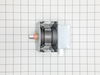
Unpluged power cord!! Removed front control panel to expose electronics (need to remove top horizontal vent cover to expose mounting hardware). Unplugged leads to control panel board. Removed magnetron with Tstat (3- phillip heads, need stubby). Installed new parts and control panel, plugged it in tested. Done.
Parts Used:
-
Michael from Coulterville, CA
-
Difficulty Level:A Bit Difficult
-
Total Repair Time:30 - 60 mins
-
Tools:Screw drivers
48 of 80 people
found this instruction helpful.
Was this instruction helpful to you?
Thank you for voting!