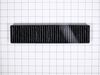
This is an authentic LG charcoal filter for your microwave, sourced directly from the manufacturer. It is designed to remove odors from the air that circulate through your microwave vent. It measures ...
$52.40
In Stock
Order within the next 1 hr and 11 mins and your part ships today!
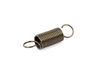
This bracket holds the metal or plastic flapper that closes off the exhaust duct when the fan is not running and opens when the fan turns on. If the exhaust fan on your microwave does not appear to be...
$26.92
In Stock
Order within the next 1 hr and 11 mins and your part ships today!
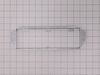
This metal vent damper door closes off the exhaust duct when the fan is not running to stop outside air from entering the microwave unit, and opens when the fan turns on to allow air to vent away from...
$17.85
In Stock
Order within the next 1 hr and 11 mins and your part ships today!
If the turntable on your microwave does not rotate, or you can hear a grinding noise, the problem may be with the motor. The motor is typically located below the floor of the oven, and is accessed thr...
$52.44
In Stock
Order within the next 1 hr and 11 mins and your part ships today!
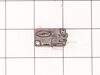
Are you looking to get your LG microwave back up and running smoothly? You're in the right place! With our LG Hardware Mounting Kit, you'll have everything you need for a straightforward, fuss-free in...
$52.44
In Stock
Order within the next 1 hr and 11 mins and your part ships today!
Questions And Answers for 72180823500
Ask our experts a question about this model and we'll get back to you as soon as possible!
2 questions answered by our experts.
< Prev
1
Next >
Sort by:
Search filter:
Clear Filter
Your search term must have 3 or more characters.
Keep searches simple. Use keywords, e.g. "leaking", "pump", "broken" or "fit".
Sorry, we couldn't find any existing answers that matched.Try using some different or simpler keywords, or submit your new question by using the "Ask a Question" button above!
Roger
March 17, 2023
Thank you for the quick response to my question. How do I check the high voltage capacitor and the high voltage diode? also, how do I de-energize the capacitor?
For model number 72180823500
Hello Roger, thank you for contacting us. In order to test a capacitor using an analog multimeter, follow the following steps:
1. Disconnect the capacitor and discharge it.
2. Put the analog multimeter in the ohmmeter position, and if there are multiple ranges, choose a higher range.
3. Connect the leads of the capacitor to the multimeter probes and observe the readings on the multimeter.
4. For a good capacitor, the resistance will be low in the beginning and gradually increase.
5. If the resistance is low at all times, the capacitor is a shorted capacitor, and we have to replace it.
6. If there is no movement of the needle or if the resistance always shows a higher value, the capacitor is open.
The diode test procedure is conducted as follows:
1. Make certain that all power to the circuit is off and no voltage exists at the diode. Voltage may be present in the circuit due to charged capacitors. If so, the capacitors need to be discharged. Set the multimeter to measure ac or dc voltage as required.
2. Turn the dial (rotary switch) to diode test mode.
3. Connect the test leads to the diode. Record the measurement displayed.
4. Reverse the test leads. Record the measurement displayed.
5. A good forward-based diode displays a voltage drop ranging from 0.5 to 0.8 volts for the most commonly used silicon diodes. Some germanium diodes have a voltage drop ranging from 0.2 to 0.3 volts.
You can de-energize a capacitor just by shorting the leads, but an easy way is to use a load like a high-wattage resistor or an LED. We hope this information is useful!
1 person found this helpful.
Was this helpful?
Thank you for voting!
Roger
March 16, 2023
The microwave will not heat. everything else works. I have checked the fuse and the continuity of all three door switches and the magnitron and they all have continuity between the terminals. Is there anything else I can do to determine what is causing it not to heat.
For model number 72180823500
Hi Roger, thank you for reaching out. You may need to check the following parts to fix the issue: the high-voltage capacitor, part number PS3517241, and the high-voltage diode, part number PS3529603. We hope this information helps!
Unplug the unit before servicing. Need phillips screwdriver. Open door. Use step ladder to access and remove 2 small screws from top of the room air diffuser at top of unit. Slide diffuser slightly to the left to align the diffuser's plastic tab on the left side to rotate toward you. (The wires for the front control panel are at the far left side of this difuser, but difuser is slotted for easy removal). Once the difuser is removed you will see 1 screw at the top that secures the pannel cover on the left side of the unit. Remove screw and slide this panel slightly up and out. This exposes the plastic frame that holds the upper and lower door switches. To locate the door switches and observe how they work, close and open the door and watch the door (bayonets) open and close the micro switches. Do the (red) buttons on top of the switches move up and down when the door bayonets push and release? If the buttons do not "pop" up when opened the switch is defective. The switch frame is secured with 2 screws. Remove screws and rotate the unit out for easy access to the micro switch(s). The internal (spring?) on my unit that is suposed to allow the red (visible) button on top of the switch to "pop" up when the door is opened was broken. Carefully pry the switch outward while being careful to lift the plastic holder-piece that holds the switch in place. Be careful, there is a small pin on the frame, so rotate the switch OUT toward you while lifting (carefully) the plastic holder-piece (you will see it on top of the switch). You can use an ohm meter to test the continuity of the switches. But if the buttons don't "pop" they are defective. Replace switch and reassemble.