




















F31C747CS0 Frigidaire Dryer - Instructions
Keep searches simple. Use keywords, e.g. "leaking", "pump", "broken" or "fit".
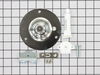
Squeaky drum until drum would not turn.
Watched on-line video, then applied those steps.
1. Pop the front of the deck loose using putty knife to depress clips;
2. Disconnect wires from light and door switch;
(Before I disconnected wires from door switch and light, I made wiring sketches to make sure I reconnected in original manner.)
3. Remove lint filter mount screws and mount from bottom of door opening;
4. Cut drum belt with wire-cutters and removed it;
5. Remove drum support clip from top center of front panel;
6. Remove (1) screw from each side of dryer body that hold front to sidewalls, removed front panel;
7. Remove drum by lifting the rear out of the bearing, then moving it forward through the machine front;
[While I had the dryer disassembled, I thoroughly cleaned it of lint, dirt & metal filings. The metal filings were from the worn ball hitch and drum support bearing cup. I spent as much time cleaning it out as I did working on it.]
8. Stand drum on gallon paint bucket while removing ball hitch (Use a #2 drywall phillips apex to obtain sufficient seating & torque to remove and reinstall ball hitch screws at rear of drum.);
9. Have a second person hold the new ball hitch in position while starting screws, if necessary;
10. Use nut driver w/5/16" socket to remove bearing retainer & ground ball clip;
11. Install new bearing into retainer clip, insert attachment screws through the holes in both, stick grounding ball in depression on back of bearing as screws are fed through back panel;
12. Hold ground ball clip in place to start one screw, then the other & tighten with nut driver;
13. Start drum belt on motor shaft and position against tensioner pulley;
14. Feed drum through front of machine and loop belt over rear of drum;
15. Slide belt forward on drum as drum moves to rear to keep it aligned with position of tension pulley;
16. Lift rear of drum to place ball hitch on top of bearing, then press down to seat it into bearing;
17. Turn drum to ensure belt alignment, then re-accomplish steps 6 thru 1.
1. Pop the front of the deck loose using putty knife to depress clips;
2. Disconnect wires from light and door switch;
(Before I disconnected wires from door switch and light, I made wiring sketches to make sure I reconnected in original manner.)
3. Remove lint filter mount screws and mount from bottom of door opening;
4. Cut drum belt with wire-cutters and removed it;
5. Remove drum support clip from top center of front panel;
6. Remove (1) screw from each side of dryer body that hold front to sidewalls, removed front panel;
7. Remove drum by lifting the rear out of the bearing, then moving it forward through the machine front;
[While I had the dryer disassembled, I thoroughly cleaned it of lint, dirt & metal filings. The metal filings were from the worn ball hitch and drum support bearing cup. I spent as much time cleaning it out as I did working on it.]
8. Stand drum on gallon paint bucket while removing ball hitch (Use a #2 drywall phillips apex to obtain sufficient seating & torque to remove and reinstall ball hitch screws at rear of drum.);
9. Have a second person hold the new ball hitch in position while starting screws, if necessary;
10. Use nut driver w/5/16" socket to remove bearing retainer & ground ball clip;
11. Install new bearing into retainer clip, insert attachment screws through the holes in both, stick grounding ball in depression on back of bearing as screws are fed through back panel;
12. Hold ground ball clip in place to start one screw, then the other & tighten with nut driver;
13. Start drum belt on motor shaft and position against tensioner pulley;
14. Feed drum through front of machine and loop belt over rear of drum;
15. Slide belt forward on drum as drum moves to rear to keep it aligned with position of tension pulley;
16. Lift rear of drum to place ball hitch on top of bearing, then press down to seat it into bearing;
17. Turn drum to ensure belt alignment, then re-accomplish steps 6 thru 1.
Parts Used:
-
Doug from ODESSA, TX
-
Difficulty Level:Easy
-
Total Repair Time:1- 2 hours
-
Tools:Nutdriver, Pliers, Screw drivers
3 of 3 people
found this instruction helpful.
Was this instruction helpful to you?
Thank you for voting!
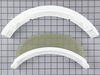
Needed new lint screen for dryer
Removed 2 screws and dropped new screen holder in with lint screen in it and replaced screws. Really easy
Parts Used:
-
Harriett from Leesburg, FL
-
Difficulty Level:Really Easy
-
Total Repair Time:Less than 15 mins
-
Tools:Screw drivers
3 of 4 people
found this instruction helpful.
Was this instruction helpful to you?
Thank you for voting!
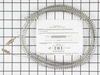
No heat, element bad
With the excellent replacement parts sold by this site, it went like silk. The dryer is not only working great, but actually quieter.
Parts Used:
-
John from O FALLON, IL
-
Difficulty Level:Really Easy
-
Total Repair Time:30 - 60 mins
-
Tools:Pliers, Screw drivers
2 of 2 people
found this instruction helpful.
Was this instruction helpful to you?
Thank you for voting!
May not have to take out the whole drum to replace the limiter!
After lifting the dryer top and finding the location of the thermal limiter on the back of the dryer, where it is difficult to get at, I carefully cut through the dryer cabinet with the multimaster on three sides to form a 'flap' upon which the limiter was mounted. By prying this flap open from the back, the two wires and two screws are easily accessible to replace the limiter, without having to remove the whole drum. Afterwards, I just bent the flap back into place and taped the seams. If it ever blows again, the fix will take all of about two minutes.
Parts Used:
-
Timothy from CRANBURY, NJ
-
Difficulty Level:Really Easy
-
Total Repair Time:15 - 30 mins
-
Tools:Pliers, Screw drivers
2 of 2 people
found this instruction helpful.
Was this instruction helpful to you?
Thank you for voting!
Dryer not heating
UNPLUG DRYER (this is key) Removed the top of dryer. used screwdriver and pliers to remove two screws and electrical connections then reinstalled new part stick the magnet behind the part to the back of the dryer to help control the small screws.
Parts Used:
-
Steve from COVINGTON, KY
-
Difficulty Level:Easy
-
Total Repair Time:15 - 30 mins
-
Tools:Pliers, Screw drivers
2 of 2 people
found this instruction helpful.
Was this instruction helpful to you?
Thank you for voting!
dryer lint screen rplacement
removed two screws - replaced lint screen replacement, TIME TO REPLACE UNIT - ONE MINUTE. What made this project a snap was the pictures and graphs( parts replace) uses to ensure you are ordering the exact screen .
Parts Used:
-
Frank from Las Vegas, NV
-
Difficulty Level:Really Easy
-
Total Repair Time:Less than 15 mins
-
Tools:Screw drivers
2 of 2 people
found this instruction helpful.
Was this instruction helpful to you?
Thank you for voting!
Both knobs were broken
Ordered knobs on Monday early. Received midday Tuesday! Very fast delivery. Knobs fit perfectly, no tools required.
Parts Used:
-
LAURA from MORGAN, TX
-
Difficulty Level:Really Easy
-
Total Repair Time:Less than 15 mins
2 of 2 people
found this instruction helpful.
Was this instruction helpful to you?
Thank you for voting!
The lint screen was old, rusty, and torn.
This was the easiest and most inexpensive repair I ever had on a dryer. I did a search on the internet, found "PartSelect.com" searched their web site, found the part I needed (at a very reasonably low price) ordered it, received it within 2 days, opened the box, removed 2 screws from the old part, put the new part in, replaced the 2 screws, inserted the filter screen... and my wife was happy. Thank You PartSelect.com for perfect selection, ordering and service.
Parts Used:
-
Paul from Dennis, MA
-
Difficulty Level:Really Easy
-
Total Repair Time:Less than 15 mins
-
Tools:Screw drivers
2 of 2 people
found this instruction helpful.
Was this instruction helpful to you?
Thank you for voting!
Riped lint screen
This was easer than, well brushing my teeth. And it took less time than that too. Really, really easy, just like I read.
Parts Used:
-
Bill from Shelby, MI
-
Difficulty Level:Really Easy
-
Total Repair Time:Less than 15 mins
-
Tools:Screw drivers
3 of 5 people
found this instruction helpful.
Was this instruction helpful to you?
Thank you for voting!
Wire Meshing Had Broken Away From The Rubber Framing Tha Was To Hold It Together And Lint Was Bypassing The Screen And Getting Into The Vent Tube.
Opened the dryer door unsrewed the two phillips holding the filter framework in place did a two second swap-out dropped the new unit into place the new unit and refastened it with the 2 screws that held the old one in place . And was drying a load of clothes within two minutes . . Thank you jg
Parts Used:
-
JOHN from NAUGATUCK, CT
-
Difficulty Level:Really Easy
-
Total Repair Time:Less than 15 mins
-
Tools:Screw drivers
2 of 2 people
found this instruction helpful.
Was this instruction helpful to you?
Thank you for voting!
Water temperature knob broke
-
Michael from Weston, FL
-
Difficulty Level:Really Easy
-
Total Repair Time:Less than 15 mins
3 of 5 people
found this instruction helpful.
Was this instruction helpful to you?
Thank you for voting!
replace old screen
-
charles from nantucket, MA
-
Difficulty Level:Really Easy
-
Total Repair Time:Less than 15 mins
2 of 2 people
found this instruction helpful.
Was this instruction helpful to you?
Thank you for voting!
screen fell out of lint screan frame
remove 2 screws,pull frame out. put new in. tighten 2 screws. put lint screen in
Parts Used:
-
steve from scottsville, KY
-
Difficulty Level:Really Easy
-
Total Repair Time:Less than 15 mins
-
Tools:Screw drivers
2 of 2 people
found this instruction helpful.
Was this instruction helpful to you?
Thank you for voting!
Dryer would not turn on, no power. Since i already have replaced thermal limiter switch, i knew exactly what to do and also how to shorten installation
Remove 2 screws from back of unit, remove top by lifting and pulling up, set aside. Using pliers,needle-nose, remove the 2 wires from switch, then using a magitized philips screw driver, remove 2 screws holding switch to back of unit, replace switch, reassemble everything. 20 minutes, boom, ur done, dry some clothes now
Parts Used:
-
Daniel from SAN ANTONIO, TX
-
Difficulty Level:Very Easy
-
Total Repair Time:15 - 30 mins
-
Tools:Pliers, Screw drivers
2 of 2 people
found this instruction helpful.
Was this instruction helpful to you?
Thank you for voting!
Loud Squealing
Remove top panel with large flat screwdriver and 2 screws in back.Remove bottom panel with 2 screws.Release belt tensioner and remove belt.Remove 3 screws in center of drum inside.Remove drum. Remove rear bearing by pulling up on assembly.Replace all parts in reverse order.
Parts Used:
-
William from Hudson Falls, NY
-
Difficulty Level:A Bit Difficult
-
Total Repair Time:30 - 60 mins
-
Tools:Nutdriver, Screw drivers
2 of 2 people
found this instruction helpful.
Was this instruction helpful to you?
Thank you for voting!