




















AMV6502REW7 Maytag Microwave - Instructions
Keep searches simple. Use keywords, e.g. "leaking", "pump", "broken" or "fit".
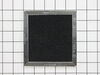
Charcoal Filter Replacement
This is an under the counter microwave. Simply removed the two screws holidng the vent grille on top of the unit, lift out the old charcoal filter, clean the vent fan exit surfaces then replace the filter and put the vent grille back. Be careful to not drop either of the two screws after one is installed as you will have to take the grill off and start the screw installation again unless you have a magnetic to retrieve the dropped screw. An easy five minutes at most to change.
Parts Used:
-
Charles from Meridian, MS
-
Difficulty Level:Really Easy
-
Total Repair Time:Less than 15 mins
-
Tools:Screw drivers
0 of 1 people
found this instruction helpful.
Was this instruction helpful to you?
Thank you for voting!
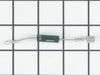
On Turning on the Microwave, it was sparking, was not sure where the sparks are coming from, initially I thought mica at the end of megnatron duct could be the issue
when I opened the back cover of microwave, the diode was kind of blackish blown, since there was light bulb and fan were still working, i thought it could be problem with any one of the components like; magnatron or capacitor or diode, so first replaced the diode and mica at the end of the magnatron duct, there was problem with door switch as well. i fixed that too. Now it is working. It cooks bit faster, Wondering why?
Parts Used:
-
RaviShankar from Artesia, CA
-
Difficulty Level:Easy
-
Total Repair Time:1- 2 hours
-
Tools:Pliers, Screw drivers
0 of 1 people
found this instruction helpful.
Was this instruction helpful to you?
Thank you for voting!
Microwave had no electrical
I was sent the wrong fuse by you. I had to procure a fuse in another manner. Very disappointing. The repair was simple. It just took longer because of the failure to send the correct fuse.
Parts Used:

-
Larry from HARKER HTS, TX
-
Difficulty Level:Really Easy
-
Total Repair Time:30 - 60 mins
-
Tools:Pliers
1 of 5 people
found this instruction helpful.
Was this instruction helpful to you?
Thank you for voting!
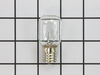
Burnt Out Light Bulb Replacement
-
alfred from summerville, SC
-
Difficulty Level:Easy
-
Total Repair Time:Less than 15 mins
-
Tools:Screw drivers
9 of 30 people
found this instruction helpful.
Was this instruction helpful to you?
Thank you for voting!
it was working fine and it stopped order a fuse and it wasn't the problem
took it to Buttermore appliance in Auburn Indiana and he changed the fan and added another fuse
Parts Used:
-
Herb from Auburn, IN
-
Difficulty Level:A Bit Difficult
-
Total Repair Time:1- 2 hours
0 of 4 people
found this instruction helpful.
Was this instruction helpful to you?
Thank you for voting!
Put the Fuse in, then plugged it in came on for a min then everything went out!!!!!
Took the front off and behind a plate was the fuse, so I replaced it for what good that did!!!
Parts Used:
-
Stephen from SPRINGFIELD, WV
-
Difficulty Level:Very Difficult
-
Total Repair Time:1- 2 hours
-
Tools:Pliers, Screw drivers
4 of 18 people
found this instruction helpful.
Was this instruction helpful to you?
Thank you for voting!
in 2 yrs the charcoal filter had NEVER been changed and it was smelling horrible--so had to be done !
--simpley removed 2 screws, removed old filter--but had PLENTY of cleaning to do before putting in the new filter !My husband LOVES to cook and pan fry foods--it won't go that long before being replaced in the future!
Parts Used:
-
carole from North Canton, OH
-
Difficulty Level:Easy
-
Total Repair Time:Less than 15 mins
-
Tools:Screw drivers
Was this instruction helpful to you?
Thank you for voting!
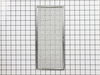
replace filter
-
Barbara from Cranston, RI
-
Difficulty Level:Easy
-
Total Repair Time:Less than 15 mins
Was this instruction helpful to you?
Thank you for voting!
Burned out lightbulb
First let me say that I tried several places to get what I thought was a simple light bulb. This included several national hardware stores as well as a national electrical supply company. No luck. Went to the manual and PartSelect. Not only did you have it in stock, ship right away,at a reasonable price it arrived in a matter of days. One would not normally think of receiving a "how to" video to change a light bulb but you did. That impressed me. Suffice to say the replacement went well and you can be certain the next time I need a part I will go to you first. I am also impressed with the organizations with which you are affiliated with. BBB, Norton, PayPal, money back guarantee etc. Thank You The entire process was made pleasant with your support.
Parts Used:
-
Paul from Norristown, PA
-
Difficulty Level:Really Easy
-
Total Repair Time:Less than 15 mins
-
Tools:Screw drivers
Was this instruction helpful to you?
Thank you for voting!
Bulb burned out
You had alerted that it was imperative to unplug unit before starting to remove defective bulb. As described, there was silicon on bulb and socket and bulb broke upon my attempt to remove. Had to use needle nose pliers to get metal base of old bulb from socket, then all went well.
Parts Used:
-
Lester from Mesquite, TX
-
Difficulty Level:Really Easy
-
Total Repair Time:Less than 15 mins
-
Tools:Pliers, Screw drivers
Was this instruction helpful to you?
Thank you for voting!
changed filters
-
Edward from Oakland, NJ
-
Difficulty Level:Really Easy
-
Total Repair Time:Less than 15 mins
-
Tools:Screw drivers
Was this instruction helpful to you?
Thank you for voting!
Needed a clean filter
Stood on a step stool (microwave over stove), took off the one panel,removed old filter and put in new one
Parts Used:
-
Ethel from New Berlin, WI
-
Difficulty Level:Easy
-
Total Repair Time:Less than 15 mins
-
Tools:Screw drivers
Was this instruction helpful to you?
Thank you for voting!
burnt out light bulb
The problem I have with changing the bulb is my microwave is an overhead one and therefore I cannot tip it on its side to easily replace the bulb. I have to drop the lid down and carefully install the new bulb from underneath.
Parts Used:
-
Shirley from Londonderry, NH
-
Difficulty Level:A Bit Difficult
-
Total Repair Time:Less than 15 mins
-
Tools:Screw drivers
Was this instruction helpful to you?
Thank you for voting!
Filter dirty
I unscrewed the filter cover, replaced the charcoal filter and replace the cover. The other wire mesh filter slides right into place. You sent me the right parts for my filter replacement on my microwave. Easy install. Thanks
Parts Used:
-
John from Denver, CO
-
Difficulty Level:Easy
-
Total Repair Time:Less than 15 mins
-
Tools:Screw drivers
Was this instruction helpful to you?
Thank you for voting!
Burn't out bulb.
-
Carter from McCordsville, IN
-
Difficulty Level:Really Easy
-
Total Repair Time:Less than 15 mins
-
Tools:Screw drivers
Was this instruction helpful to you?
Thank you for voting!