




















KSM500QBW0 KitchenAid Mixer - Instructions
Keep searches simple. Use keywords, e.g. "leaking", "pump", "broken" or "fit".
Updated cord fitting into 40 year old mixer
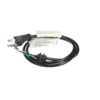
We have the classic Hobart-made KitchenAid mixer from the mid-1980s. The original cord sheathing was disintegrating. The replacement cord is actually a better design, but the housing needs to be filed down to slide the cord into place. The old housing channel on my mixer only allowed for something basically the cord width to fit through. The part of the cord that now fits tight against the housing is much thicker and sturdier than the original. I started with a metal file to widen the housing channel, which was working but taking a long time. My son the electrical engineer suggested a Dremel, which was indeed faster on the thick aluminum housing. We used a small circular sanding tip to avoid damaging any adjacent workings. My son also saw that the slim strain relief collar at the top of the cord was pushing and bending the wires too much against the rest of the unit, so he took an X-acto knife and gently rolled the cutting edge along the base of the top collar until he could tear away that extra collar and let the wires lie more naturally in the space. We also managed to break the paper gasket meant to shield the motor from vented flour (in my case lots of years of cocoa powder! Time to vacuum here), but taped that back together with black electrical tape. After the adjustments were made, the cord replacement itself took about 2 minutes. If your mixer is more modern, you may not need to make any adjustments like we did. Just take a picture of how the wires attach and duplicate that with the new wires in the cord.
Parts Used:
-
Claire from Germantown, TN
-
Difficulty Level:A Bit Difficult
-
Total Repair Time:1- 2 hours
-
Tools:Pliers
3 of 3 people
found this instruction helpful.
Was this instruction helpful to you?
Thank you for voting!
Mixer would not turn on
Pulled off end cover. Used the how-to video's to show me how to remove the (3) components (watch out when it comes to removing the spring). Removed all (3) components (one issue was the black cardboard seal, which because of its age broke. Hindsight tells me that I should have purchased a replacement seal along with the (3) new parts.
Fixed the broken part of the seal with scotch tape). Installed all new parts with the help of the video's and put the cover back on. Even with the new parts, the mixer would not run. Come to find out, after I took it to an appliance repair person, that someone had pulled both brushes and put them back in improperly. I could not find a how-to video that showed me how to de-install/re-install the brushes properly. I assume that was because new brushes were no longer available for purchase. At any rate, when the brushes were put in properly, everything worked. The repair person also adjusted the (2) screws on the speed control plate so that when you change the speeds via the lever, it all works properly. I didn't find a how-to video covering those adjustments either.
Fixed the broken part of the seal with scotch tape). Installed all new parts with the help of the video's and put the cover back on. Even with the new parts, the mixer would not run. Come to find out, after I took it to an appliance repair person, that someone had pulled both brushes and put them back in improperly. I could not find a how-to video that showed me how to de-install/re-install the brushes properly. I assume that was because new brushes were no longer available for purchase. At any rate, when the brushes were put in properly, everything worked. The repair person also adjusted the (2) screws on the speed control plate so that when you change the speeds via the lever, it all works properly. I didn't find a how-to video covering those adjustments either.
Parts Used:


-
Tom from MARTINEZ, CA
-
Difficulty Level:A Bit Difficult
-
Total Repair Time:1- 2 hours
-
Tools:Nutdriver, Screw drivers, Wrench (Adjustable)
3 of 3 people
found this instruction helpful.
Was this instruction helpful to you?
Thank you for voting!
Speed switch wouldn’t stay in off position
Watched a YouTube video to disassemble,from there went smoothly. One small piece of advice,take pictures with your smart phone during the process. Makes remembering easier.
Parts Used:


-
Steven from CUBA, NY
-
Difficulty Level:Really Easy
-
Total Repair Time:30 - 60 mins
-
Tools:Pliers, Screw drivers
3 of 3 people
found this instruction helpful.
Was this instruction helpful to you?
Thank you for voting!
worm gear stripped
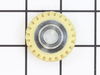
Looked for the probable cause from a U-tube video, then found the parts list and repair video on the PartSelect website. When the parts arrived within 3days the shipped email had a video on exactly how to complete the repair. Repair video was very well done and easy to follow.
Parts Used:

-
Paul from OXFORD, MI
-
Difficulty Level:Easy
-
Total Repair Time:1- 2 hours
-
Tools:Pliers, Screw drivers
3 of 3 people
found this instruction helpful.
Was this instruction helpful to you?
Thank you for voting!
Gear-worm teeth stripped, teeth on pinion shaft worn to sharp edge and case gasket dried out. Not bad for a 20 yr. old mixer.
Looked at the mixer schematic form your website,which made it easy for me to take it apart. Once it was apart & all the grease removed I disassembled & cleaned all the drive parts. Saw what was warn, ordered the parts from you. Three days later received the parts, everything fit perfect. Added grease,assembled the mixer and it ran perfect, good for another 20 yrs. Thank you for making it so easy to repair an old mixer in just over two hours. Rolf
Parts Used:


-
Margaret from DEXTER, NY
-
Difficulty Level:Easy
-
Total Repair Time:1- 2 hours
-
Tools:Pliers, Screw drivers
3 of 3 people
found this instruction helpful.
Was this instruction helpful to you?
Thank you for voting!
worn worm-gear replacement
Repairing/replacing worm-gear (FSP part# W10112253) for a KitchenAid Stand Mixer model number K5SS. First: I am writing this story because all the videos or repair articles I’ve viewed are either misleading or incorrect in that they do not include older K5SS models. 1. These older models from the mid 1960’s or even earlier have four very large #4 chrome plated Phillips Head Screws holding the mixer base to the motor assembly and NOT four small machine screws (one with a lock-washer) as seen on other repair videos. In addition, the stand is composed of two separate pieces with the bottom half being held together with another four identical #4 chrome plated Phillips Head Screws. The upper four holding the stand to the motor housing (I used a manual impact driver to loosen the very stubborn, #4 Phillips screws) must be removed so as to access the four smaller Phillips machine screws (no lock-washers found here, best buy at least four #10, split, before reassembly) 2. Lastly, you will need two pin punches however the recommended smaller 3/32 inch is still too large to remove the pin in the tower assembly. You will need one size smaller or a #4 pin punch instead. These older Kitchen Aid mixers were built with very tight tolerances. Please be patient and take your time removing the pins. Good Luck……. Jim
Parts Used:

-
James from Glendale, CA
-
Difficulty Level:A Bit Difficult
-
Total Repair Time:1- 2 hours
-
Tools:Nutdriver, Screw drivers
3 of 4 people
found this instruction helpful.
Was this instruction helpful to you?
Thank you for voting!
The worm gear was broken
I removed the pin from the outside shaft,then removed all screw around the body of the mixer,then removed the top case out,took 3 screws out from the the gear assembly case......punched the pin out of worm gear then release the little shaft out from the case,replaced a new one....then starting go backward till completely all assembled don't forget lube grease to all gears and test run good very smooth.........it's ok
Parts Used:
-
DONG from Elk Grove, CA
-
Difficulty Level:A Bit Difficult
-
Total Repair Time:30 - 60 mins
-
Tools:Pliers, Screw drivers
3 of 4 people
found this instruction helpful.
Was this instruction helpful to you?
Thank you for voting!
Speed control not working properly
Replaced the speed control plate and phase control board and works well. Pay attention to speed control board spring and adjustment lever when reassembling.
Parts Used:
-
Reid from MONTICELLO, MN
-
Difficulty Level:A Bit Difficult
-
Total Repair Time:30 - 60 mins
-
Tools:Pliers, Screw drivers
2 of 2 people
found this instruction helpful.
Was this instruction helpful to you?
Thank you for voting!
Bowl lift arm broke - quick fix ready for 27 more years
While kneading dough, my 27-yo stand mixer walked off the counter, and shortly thereafter the plastic bowl lift arm piece broke. After a quick internet search I ordered the part. Installation was extremely easy. 1) Using a rachet with a #3 Phillips head bit, remove the four screws holding the motor to the base. 2) Using the Roll Pin Punch pop out the roll pin. 3) Loosen and remove the cotter pin with the screwdriver and pliers. 4) Remove the broken piece. 5) Attach the replacement piece to the handle and insert the roll pin, tapping into place with the Roll Pin Punch. 5) Attach the lift arm to the piece and fix with the cotter pin. 6) Reattach the motor to the base. Ready for 27 more years of stand mixing duty!
Parts Used:


-
Timothy from DANBURY, CT
-
Difficulty Level:Really Easy
-
Total Repair Time:15 - 30 mins
-
Tools:Pliers, Screw drivers, Socket set
2 of 2 people
found this instruction helpful.
Was this instruction helpful to you?
Thank you for voting!
Bowl lift arm broke
Was able to use the diagrams to figure out how to put everything back together. Would have been a nightmare without that as I took the thing apart without really paying attention to what went where. The hardest part was inserting a set pin that holds the Bowl lift arm, which fits inside the stand. in place. So new parts - $20, less than an hour of my time disassembling/reassembling, probably saved me $125 in repair plus a couple hours driving it to service place and picking it up. No brainer.
Parts Used:
-
Steve from DALLAS, TX
-
Difficulty Level:Really Easy
-
Total Repair Time:15 - 30 mins
-
Tools:Screw drivers
2 of 2 people
found this instruction helpful.
Was this instruction helpful to you?
Thank you for voting!
stripped worm gear
i disassembled the mixer until i could remove the worm gear; is in a housing that that includes another gear and shaft. make sure you have a magnetic tray to put parts in as you work or you will spend more time looking for parts than reassembling the mixer. once you have the gear housing out you will need a small diameter punch to drive out the pin that holds the gears in the housing(i used a 5/32 transfer punch.) make sure you punch the pin out where it will be caught or you will need to order that part because you will not find it. after knocking the pin out it is just a matter of removing the old gear, putting the new one in, and reversing the steps and getting everything reassembled.
Parts Used:
-
dale from AMSTERDAM, OH
-
Difficulty Level:A Bit Difficult
-
Total Repair Time:30 - 60 mins
-
Tools:Screw drivers
2 of 2 people
found this instruction helpful.
Was this instruction helpful to you?
Thank you for voting!
Mixer would only run Full Fast. Could not determine cause or fault.
1. Removed the mixer back plate Cover. 2. Removed the Speed Control Plate and retained spring, wires and ground wire. 3. Removed the old Speed Control Plate screws. Noted Control Plate pitted contact. 4. Removed old Triac Phase Control Board. 5. Removed old Governor. 6. Installed new Governor. 7. Installed new Phase Control Board. 8. Installed new Speed Control Plate and retaining spring. 9. Reattached Speed Control Plate wires. 10. Adjusted Speed Control Plate Screws and set mixer speeds from Stir to maximum settings. 11. Replaced Motor Brushes on left and right side of mixer. 12. Reinstalled mixer back plate cover.
Parts Used:

-
E.F. from HUNTINGTN BCH, CA
-
Difficulty Level:Easy
-
Total Repair Time:30 - 60 mins
-
Tools:Screw drivers, Wrench set
3 of 5 people
found this instruction helpful.
Was this instruction helpful to you?
Thank you for voting!
Wasn’t spin any moore
-
Rosa from GLOUCESTER, MA
-
Difficulty Level:A Bit Difficult
-
Total Repair Time:30 - 60 mins
-
Tools:Screw drivers
2 of 2 people
found this instruction helpful.
Was this instruction helpful to you?
Thank you for voting!
Mixer would slip gears under load, finally would not mix under any load
Rather than duplicate previous repair works, I recommend going to this user site and follow their instructions: http://www.neilcrockett.com/mixer1.htm. Once you have done this repair, taking the unit apart is easier to perform this tasks. Order replacement Grease "Benalene 930-2" in the 3.3 oz container and be sure to use the full container to lather all around all the gear components so grease will be available to units for years to come due to heat build up under load. Too, the 3.5 oz container is made for one unit repair job and is available through Amazon. This grease is available on larger quantities if needed / desired. I did order both, a Worm Gear and the Worm Gear and Bracket as I wasn't sure of my mechanical ability to make this repair until I got inside the unit but the worm gear is easily replaced once you clean out all the old grease. The worm gear is a neoprene type gear with all other gears being metal. I assume neoprene is used as sacrificial to save other gears from breaking under loads and years of use.
Parts Used:

-
Joyce from MARIENVILLE, PA
-
Difficulty Level:Easy
-
Total Repair Time:30 - 60 mins
-
Tools:Screw drivers
2 of 2 people
found this instruction helpful.
Was this instruction helpful to you?
Thank you for voting!
Corroded speed control plate ( full of flour). Had used the mixer for grinding deer meat and lost the slow speed. Flour would fly up in my wife's face.
I just thought there had to be a way to replace a component to correct the speed problem. I've never worked on a mixer before, so I thought it would be a challenge. Actually the repair was fairly easy. Make sure the unit is unplugged from AC. I removed the back motor cover with one screw and removed the end seal. I compared the parts on the mixer with the diagram provided at the Part Select website. I then ordered the parts. When the parts arrived 3 days later, I removed the Speed Control Plate ( 3 screws) and Phase Control Bd (1 screw) as one Assy. Removed the old Governor and slipped on the new one. Assy the new Speed Control Plate and Phase Control Bd comparing wiring and screwed them back to the unit. Removed the two motor bushes by unscrewing the side black motor brush holders and inserting the new brushes. I tried powering motor and nothing happened. I thought, great, now what did I do? I found out that you must make sure the brushes actually touch the armature otherwise the motor doesn't run. The gears are worn from grinding to much deer meat and my wife says no more. I've ordered new gears and looks like that job, too, will be easy to repair. Adding these parts is alot cheaper than buying a new unit and it will run like new. Not bad for over 10 years of usage.
Parts Used:
-
Kenneth from Cowden, IL
-
Difficulty Level:Easy
-
Total Repair Time:30 - 60 mins
-
Tools:Pliers, Screw drivers
2 of 2 people
found this instruction helpful.
Was this instruction helpful to you?
Thank you for voting!