




















DE24CA Maytag Dryer - Instructions
Keep searches simple. Use keywords, e.g. "leaking", "pump", "broken" or "fit".
worn out bearing
Unplug the dryer and pull it away from the wall so front and back can be accessed. Remove front panel. Remove front drum support. Remove rear access panel. Disengage drive belt from idler wheel. Make careful note of course of belt and which side is "outward". Remove drum through front. Remove Rollers using circlip pliers. Remove nuts behind shafts. Remove shafts. Clean-up area and parts before re-install.
Install new Shafts and nuts. Grease shafts. Install new Rollers, washers and clips. Drape drive belt over drum while reinstalling from front. Remount drive belt over drive and idler pullies from the rear access. During this step it helps to have a helper to position the belt around the drum in correct fore/aft position, lying flat and without twists, smooth side against drum. Install front drom support. Rotate drum to seat belt before closing up. Install rear panel cover. Install Front panel. Plug it in and turn it on for a test.
Install new Shafts and nuts. Grease shafts. Install new Rollers, washers and clips. Drape drive belt over drum while reinstalling from front. Remount drive belt over drive and idler pullies from the rear access. During this step it helps to have a helper to position the belt around the drum in correct fore/aft position, lying flat and without twists, smooth side against drum. Install front drom support. Rotate drum to seat belt before closing up. Install rear panel cover. Install Front panel. Plug it in and turn it on for a test.
Parts Used:
-
Chris from Truckee, CA
-
Difficulty Level:A Bit Difficult
-
Total Repair Time:1- 2 hours
-
Tools:Nutdriver, Screw drivers, Wrench set
2 of 2 people
found this instruction helpful.
Was this instruction helpful to you?
Thank you for voting!
Broken belt
There were two screws to remove the front of the dryer. Then 4 screws to remove the front drum support. Remove the drum. Then one nut each on changing the back drum support rollers. Assemble the drum and front support in reverse, and door front, don't forget to put the new drive belt ovre the drum. Then from the rear panel opening, one screw to change the idler assembly. Easy
Parts Used:
-
Stephen from Crawfordsville, IN
-
Difficulty Level:Easy
-
Total Repair Time:1- 2 hours
-
Tools:Nutdriver, Screw drivers
3 of 5 people
found this instruction helpful.
Was this instruction helpful to you?
Thank you for voting!
Dryer stopped heating.
I had replaced other parts on this dryer before (drive belt, interlock switch), so knew how to remove the front. That is easy to do. Didn't even have to pull dryer away from the wall. Removed heater assembly. NOTE: take a picture, or note which wires go where! Took a chance that it was only the heating element after measuring the resistance of the element and noting that it was an open circuit (very high resistance). Could also have been something else in addition, but turned out, not. The hard part was getting the new housing assembly to fit in the circular hole at the back. It comes as a poor fit, not shaped right. I eventually just used pliers to bend in the edges, like crimping, and finally got it to fit in. Some pushing to get all screws back in place and now it runs and heats. A great dryer, over 30 years old, and still going. Well worth the effort to repair.
Parts Used:

-
John from OCEAN, NJ
-
Difficulty Level:Easy
-
Total Repair Time:1- 2 hours
-
Tools:Nutdriver, Pliers, Screw drivers, Wrench (Adjustable)
2 of 2 people
found this instruction helpful.
Was this instruction helpful to you?
Thank you for voting!
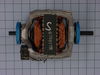
Motor Bearings Were Bad Causing A High Pitch Squeak / Squealing Noise When Dryer Was Running
First, it is IMPERATIVE that the dryer is unplugged from the wall or the appropriate breaker is turned off to prevent electrocution!!! The front of the dryer is removed by removing the two screws at the bottom of the front with a Phillips head screwdriver. Next, remove the door wiring from the wiring clamp and set front / door of dryer to the side. Next, remove the bulk head by removing four nuts from the sides with the appropriate nutdriver. The drum belt will have to be disconnected from the motor pulley by lifting the spring of the pulley to release belt tension. This can be done from the front or back access panel of the dryer. The back access panel gives you a better view of the motor pulley and attached belt. After removal of the belt from the motor pulley, the drum of the dryer can be removed. Next, remove the heat shield at the front of the dryer. It is held on with two nuts and can be removed using the appropriate nut driver. Next, remove the blower wheel housing cover using the appropriate nut driver. The blower wheel will be next. It can be removed by using a pair of pliers to remove the circular clamp. A pair of snap-ring pliers will also be need to remove the snap-ring also holding the wheel in place on the motor axle. After the blower wheel is removed from its housing, the housing will need to be removed. The housing is again held in place by several nuts and the appropriate nut driver will be needed to remove them. Next, take all wiring loose from the motor. It would be a good idea to photograph or note how and what wires were attached in specific locations on the wiring harness. The new motor may be different when it comes to wiring and will be accompanied by a wiring diagram and the needed connection ends for the wiring. If it is a different wiring layout, as was my motor that I ordered from this site, a set of wiring strippers / pliers will be needed to cut, strip, and crimp the new connectors. After wiring has been removed from the motor, remove the motor by removing two nuts with the appropriate nut driver from the bottom of the motor mount. The motor, mount, and pulley will then all come out as one piece. The motor will then need to be removed from the mount. This can be accomplished by using a flat head screwdriver and a hammer. Place the flat end of the screwdriver into the raised edge of the motor mount clamp and pull away from the locking bracket. If needed, use a hammer to give that extra tap to the end of the screwdriver to remove the clamps. After the motor is removed from the mount, an Allen wrench will need to be utilized to take the belt glide / seat off of the motor axle. You will also need the snap-ring pliers again to remove a snap ring from this axle as well. Clean the motor mount and dry thoroughly. Grease the pulley housing where it contacts the motor mount for smooth gliding against the mount. It is important that you use a NON-FLAMMABLE grease. This is the end of the "tear-down" phase. Now is a good time to vaccum and clean the inside of the dryer cabinet. This will help insure that excess lint and fuzz is removed to prevent an accidental dyer fire. Next, place the new motor back into the motor mount in reverse order. Make sure the belt glide / seat from the motor axle aligns with the belt marks on the pulley. Reassemble the dryer in reverse order, making sure to follow the wiring diagram provided with your new motor. Also you need to insure that the motor is turned at a 45 degree angle to allow the dryer drum to pass the motor without striking it. After reassembly, plug in the dryer and attempt to start. If your dryer does not start, troubleshoot the wiring first. Wiring was the most difficult part of this repair and working in the tight space provided was a trick. Also look up a video of the repair! This helped me tremendously. Videos can be found on this site or at YouTube.com.
Parts Used:
-
Cody from BENTON, TN
-
Difficulty Level:A Bit Difficult
-
Total Repair Time:1- 2 hours
-
Tools:Nutdriver, Pliers, Screw drivers, Socket set, Wrench set
2 of 2 people
found this instruction helpful.
Was this instruction helpful to you?
Thank you for voting!
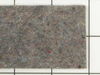
Squeaky when in use, after replacing the drum pads.
I followed the videos provided, the only think I would added is cleaning the riding surface of the drum. In my case the drum had gunk on it from the old pads, witch got on the new pads causing it to continued to make noise.
It would be wise to also get the felt and belt, to replace them all the first time.
It would be wise to also get the felt and belt, to replace them all the first time.
Parts Used:
-
Greg from CAVE CREEK, AZ
-
Difficulty Level:Very Easy
-
Total Repair Time:1- 2 hours
-
Tools:Screw drivers
2 of 2 people
found this instruction helpful.
Was this instruction helpful to you?
Thank you for voting!
Clunking noise when first turned on
I took the access panel off the back, realized that belt was in very bad shape. Ordered a belt when I got that changed I put it back together and it still had a clunking noise. Found out that the blower wheel was rounded off where it goes over the shaft. So to change that I took the two front screws off, then the four hex screws off of the tumbler guide. There were eight or so screws over the blower wheel, took those out and the clamp on the blower wheel then used the snap ring pliers for the snap ring, then changed the wheel. Problem solved. This website is very helpful I would not have attempted to fix my dryer without this website.
Parts Used:
-
Cody from Nebraska City, NE
-
Difficulty Level:Easy
-
Total Repair Time:1- 2 hours
-
Tools:Nutdriver, Pliers, Screw drivers
2 of 2 people
found this instruction helpful.
Was this instruction helpful to you?
Thank you for voting!
Part access but easy solution!
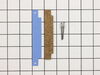
Overall, the repair was pretty easy. I'm a 52 year old woman who has never done drier repair. I replaced both front glides, both drum support roller wheels, the idler pulley wheel and the tumbler and motor belt. Including vacuuming out the inside of dryer and washing down the inside and outside of dryer with cleaning wipes, the whole project took me 2 hours. (if done individually, time would have been 20-30 minutes). You must have correct tools, so I did have to purchase two tools that I didn't have. My only suggestion in replacing the idler pulley wheel and the tumbler/motor belt would be to take the small access panel off the back of the dryer for easier access to the parts.
Parts Used:
-
Amy from POCATELLO, ID
-
Difficulty Level:Easy
-
Total Repair Time:1- 2 hours
-
Tools:Screw drivers, Socket set
2 of 2 people
found this instruction helpful.
Was this instruction helpful to you?
Thank you for voting!
heater burned out
This is going to be easy!!!
#1 First removed two screws at the bottom of the front cover Pulled the bottom out first to loosen the top and then gently pulled down to remove front cover.
#2 took a duster to remove the dust and cob webs:)
#3 Looked at the parts and then removed the heater element I used a SHORT nut driver for that.
#4 Once removed I inspected the parts farther to look for more damage (there was no more)
Now the fun part...
#5 The heater assembly. go's into the hole at an angle. You MUST be really tiny or have freakishly long arms to reach the back and screw that screw in.
#6 have wife with small hands that wants to try while you vent your frustration because you cant reach the screw hole and you lost a screw.
#7 Be ready to push hard on the assembly. while you screw the screw back into the hole.
#8 put the front of the heater back on.....check to make sure its all in there and hooked up like it should be.
#9 put front cover back on.
#10 dry clothes, and wonder why it was so hard. knowing is half the battle, Its going to be a 10 min job next time.
#1 First removed two screws at the bottom of the front cover Pulled the bottom out first to loosen the top and then gently pulled down to remove front cover.
#2 took a duster to remove the dust and cob webs:)
#3 Looked at the parts and then removed the heater element I used a SHORT nut driver for that.
#4 Once removed I inspected the parts farther to look for more damage (there was no more)
Now the fun part...
#5 The heater assembly. go's into the hole at an angle. You MUST be really tiny or have freakishly long arms to reach the back and screw that screw in.
#6 have wife with small hands that wants to try while you vent your frustration because you cant reach the screw hole and you lost a screw.
#7 Be ready to push hard on the assembly. while you screw the screw back into the hole.
#8 put the front of the heater back on.....check to make sure its all in there and hooked up like it should be.
#9 put front cover back on.
#10 dry clothes, and wonder why it was so hard. knowing is half the battle, Its going to be a 10 min job next time.
Parts Used:
-
Jay from Estacada, OR
-
Difficulty Level:A Bit Difficult
-
Total Repair Time:More than 2 hours
-
Tools:Nutdriver, Pliers, Screw drivers
2 of 2 people
found this instruction helpful.
Was this instruction helpful to you?
Thank you for voting!
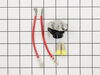
electric dryer stopped heating - the thermostat got very hot
The numbers on the metal plates were the JC Penney numbers - that no one recognizes. I eventually found the model number inside the timer case on a printed schematic. I started by disassembling whatever metal covers were removable by finding sheet metal screws and unscrewing them. If you pull on the sheet metal covers, you can find where they are connected to the frame. Eventually, I found that both the heating element was broken and the thermostat was fried. It took a while looking at various websites to find the proper parts. It's all OK now.
Parts Used:
-
Ignas from Midpines, CA
-
Difficulty Level:Easy
-
Total Repair Time:More than 2 hours
-
Tools:Nutdriver, Pliers, Screw drivers
4 of 8 people
found this instruction helpful.
Was this instruction helpful to you?
Thank you for voting!
Dryer Barrel was not turning
Looked in one of the back removable panels and saw the broken belt. Took the machines front panel off per a You Tube video and saw the repair was simple but too the time to vacuum out a large amount of Lint Debris that had accumulated over the past 34 years all over the inside of the machine which is dangerous.. After cleaning it all up I simply put the new belt on and put everything back together and it all works nicely again!
Parts Used:
-
Frank from HAWTHORNE, NJ
-
Difficulty Level:Easy
-
Total Repair Time:1- 2 hours
-
Tools:Nutdriver, Screw drivers, Socket set
2 of 2 people
found this instruction helpful.
Was this instruction helpful to you?
Thank you for voting!
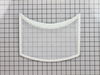
Old lint filter had a hole in it about the size of a thumb
Took longer to open the box that it did to drop the new lint filter into the dryer. Washed a load of clothes and the new dryer filter worked great
Thanks.
R. Bonker
Thanks.
R. Bonker
Parts Used:
-
Rebecca from Guthrie Center, IA
-
Difficulty Level:Really Easy
-
Total Repair Time:Less than 15 mins
2 of 2 people
found this instruction helpful.
Was this instruction helpful to you?
Thank you for voting!
Rattling noise and slow drying.
Turn off circuit breaker or unplug. Remove two screws 4 inches from bottom front panel of cabinet with stubby phillips head. Pull panel towards you about 30 degrees; then wiggle it down, to free two steel spring clips holding it to cabinet. Pull off red and yellow wire from door switch. Now set front panel aside. Blower assembly is facing you at lower left. Open the housing by removing six small screws from cover and one attached to dryer base. Remove spring clip from end of shaft. (A circlip pliers helps to prevent it from springing off somewhere.). Squeeze spring retainer surrounding blower wheel shaft with regular pliers, and wiggle the blower off. Replace in reverse order. Be sure insulation around blower wheel housing seats properly into front panel. This keeps the hot air flowing up past the lint trap.
Easy job, about half hour. Mine took longer, because I had removed the belt and drum, thinking the noise came from bad drum support rollers. It was just the plastic blower wheel shaft seat, which had worn itself round. Cost $20 (including shipping) and my 29-year old Maytag is as good as new--at least for now.
Easy job, about half hour. Mine took longer, because I had removed the belt and drum, thinking the noise came from bad drum support rollers. It was just the plastic blower wheel shaft seat, which had worn itself round. Cost $20 (including shipping) and my 29-year old Maytag is as good as new--at least for now.
Parts Used:
-
Laurence from Leesburg, VA
-
Difficulty Level:Easy
-
Total Repair Time:15 - 30 mins
-
Tools:Pliers, Screw drivers, Socket set
2 of 2 people
found this instruction helpful.
Was this instruction helpful to you?
Thank you for voting!
dryer would keep running and never dry close. No heat.
Unplugged the dryer, Very important, there is voltage on on of the wires to the heater.
I first removed the 2 screws on the lower part of the front cover and rotated this out of the way, no need to disconnect any wires. removed 2 small screws that hold the heater assy. cover plate and the one screw in the front bottom of the heater assy. I then removed the one screw at the top back of the heater. this completely frees the heater assy.
I then removed the push on wire from the thermistor and the other wire from the lug and I transferred the thermistor to the new unit. Now it is time to reverse the process making sure the entire circumference of the heater assy goes into the hole in the back. This can be a little tricky if the new assy is out of round. Just work it in, it will fit. Very easy, only about 20 min from start to finish...
I first removed the 2 screws on the lower part of the front cover and rotated this out of the way, no need to disconnect any wires. removed 2 small screws that hold the heater assy. cover plate and the one screw in the front bottom of the heater assy. I then removed the one screw at the top back of the heater. this completely frees the heater assy.
I then removed the push on wire from the thermistor and the other wire from the lug and I transferred the thermistor to the new unit. Now it is time to reverse the process making sure the entire circumference of the heater assy goes into the hole in the back. This can be a little tricky if the new assy is out of round. Just work it in, it will fit. Very easy, only about 20 min from start to finish...
Parts Used:
-
Rodney from Lewisburg, WV
-
Difficulty Level:Easy
-
Total Repair Time:15 - 30 mins
-
Tools:Nutdriver, Screw drivers, Wrench (Adjustable)
2 of 2 people
found this instruction helpful.
Was this instruction helpful to you?
Thank you for voting!
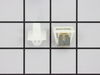
The door latch had broken, and it was time for a new lint filter.
The directions for the door latch kit told you to take the front of the washer apart to remove the old latch. But in my case the latch was broken in such a way that was not necessary. The new part just popped into place! No more fridge magnets holding the door closed!!!
And the new lint filter is great, the old one was so gunked up with old lint it was becoming difficult to clean.
I don't really know how old my dryer is, I purchased it used about 3 years ago.
And the new lint filter is great, the old one was so gunked up with old lint it was becoming difficult to clean.
I don't really know how old my dryer is, I purchased it used about 3 years ago.
Parts Used:
-
Joanna from Mantua, OH
-
Difficulty Level:Really Easy
-
Total Repair Time:Less than 15 mins
-
Tools:Screw drivers
2 of 2 people
found this instruction helpful.
Was this instruction helpful to you?
Thank you for voting!
Old lint filter was worn out
No tools required, just insert the new lint filter in place of the old one. My dryer is about 20 years old. I think I was lucky to even be able to find a replacement lint filter.
Parts Used:
-
Ellen from Sharon, MA
-
Difficulty Level:Really Easy
-
Total Repair Time:Less than 15 mins
2 of 2 people
found this instruction helpful.
Was this instruction helpful to you?
Thank you for voting!