




















11064102301 Kenmore Dryer - Instructions
Keep searches simple. Use keywords, e.g. "leaking", "pump", "broken" or "fit".
Motor would not turn
1) Removed top of dryer
2) removed belt and drum
3) removed front of dryer
4) popped clips holding down motor
5) unscrewed rear fan from motor (by exposing and holding fan)
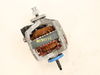
6) changed motor
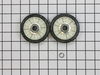
7) changed support rollers and idler pully
8) reassemled dryer
2) removed belt and drum
3) removed front of dryer
4) popped clips holding down motor
5) unscrewed rear fan from motor (by exposing and holding fan)
6) changed motor
7) changed support rollers and idler pully
8) reassemled dryer
Parts Used:


-
Christopher from bellerose, NY
-
Difficulty Level:Easy
-
Total Repair Time:30 - 60 mins
-
Tools:Nutdriver, Screw drivers
21 of 28 people
found this instruction helpful.
Was this instruction helpful to you?
Thank you for voting!
The Dryer was working normally, just no heat
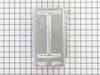
Very Very Easy all you need is a 1/4 inch nutdriver. 1st remove the screws from the back of the dryer. 2nd you will see a shaft like duct work. remove the 2 screws from this shaftway, lift out the old heating element and replace with the new element. Part select was right on target and fast. 2 days to recieve my order. I expected to have to buy a new appliance. Partselect made it possible to fix it like new for around $80.00
Parts Used:
-
Andrew from Roslyn Heights, NY
-
Difficulty Level:Really Easy
-
Total Repair Time:Less than 15 mins
-
Tools:Nutdriver, Pliers
19 of 22 people
found this instruction helpful.
Was this instruction helpful to you?
Thank you for voting!
Drum was binding because of worn bearing supporting front of dryer drum
First I unplugged the dryer for safety, then I removed the top of the dryer, then removed the 2 hex head screws holding the font door panel onto the dryer. Then I disconnected the door safety switch. the rest was cake. I removed the old bearing and cut the new bearing and seal to the exact size of the old one. I used contact cement to glue the new bearing and seal into place. Reassembly was a breeze. End of job. Success!!!
Parts Used:
-
Leslie from Townsend, GA
-
Difficulty Level:Easy
-
Total Repair Time:1- 2 hours
-
Tools:Nutdriver, Pliers, Screw drivers
23 of 35 people
found this instruction helpful.
Was this instruction helpful to you?
Thank you for voting!
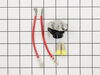
Temperature setting not working
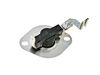
Took off back cover, thermostat was easily identified because of photos I've seen on website. Took 2 connectors off, removed 2 screws and removed old thermostat. That was pretty much it!
NOTE: Replacement thermostat 694674 has an adjustable temperature range setting that MUST be manually set prior to installing! You need to use the enclosed chart to find your original part# and make sure the setting is matched. My original part# 341146 had a "D" setting so I had to change but very easy to do.
NOTE: Replacement thermostat 694674 has an adjustable temperature range setting that MUST be manually set prior to installing! You need to use the enclosed chart to find your original part# and make sure the setting is matched. My original part# 341146 had a "D" setting so I had to change but very easy to do.
Parts Used:
-
Robert from Buffalo, NY
-
Difficulty Level:Easy
-
Total Repair Time:30 - 60 mins
-
Tools:Nutdriver, Screw drivers
19 of 23 people
found this instruction helpful.
Was this instruction helpful to you?
Thank you for voting!
dryer not working
After unplugging and removing the back cover from the dryer, locate the push button switch. Slide putty knife around outer cover to unhook catch. Replace with new push button switch. My dryer is still not working, but this was a simple replacement.
Parts Used:
-
Maura from Newtown, CT
-
Difficulty Level:Really Easy
-
Total Repair Time:Less than 15 mins
22 of 33 people
found this instruction helpful.
Was this instruction helpful to you?
Thank you for voting!
Broken push to stat switch
Removed back cover, removed broken switch, replaced with new switch, replaced back cover, told wife her dryer was fixed.
Parts Used:
-
Charles from Fairfax, OK
-
Difficulty Level:Really Easy
-
Total Repair Time:Less than 15 mins
-
Tools:Screw drivers
18 of 21 people
found this instruction helpful.
Was this instruction helpful to you?
Thank you for voting!
No heat in dryer
Once I unpluged the dryer and then removed the back cover, I located the heating unit and then removed the thermostat. Once that was done, I installed the new thermostat and connected the wires. I tested the dryer to make sure that it would heat. Then I replaced the back cover.
Parts Used:
-
Kenneth from Durham, NC
-
Difficulty Level:Easy
-
Total Repair Time:15 - 30 mins
-
Tools:Nutdriver
18 of 21 people
found this instruction helpful.
Was this instruction helpful to you?
Thank you for voting!
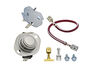
Drum spinning but no heat
Purchased thermal cut off kit but only replaced the top most thermostat. There were some extra wires wired into the bottom thermostat, that were not described on the video or any other repair user posts. It checked fine on my multimeter anyway.
Parts Used:
-
Chad from Derby, KS
-
Difficulty Level:Easy
-
Total Repair Time:15 - 30 mins
-
Tools:Socket set
19 of 27 people
found this instruction helpful.
Was this instruction helpful to you?
Thank you for voting!
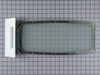
Lint screen torn
Lint screen on my 30-year dryer was torn. Ordered the new screen here with just the part number, fits well. Very helpful website.
Parts Used:
-
James from Glenside, PA
-
Difficulty Level:Really Easy
-
Total Repair Time:Less than 15 mins
15 of 16 people
found this instruction helpful.
Was this instruction helpful to you?
Thank you for voting!
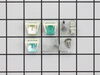
Door catch on dryer door broke
PartSelect sent me three different door catches with instructions for choosing the correct one. I did choose and simply inserted it into the slot and voile! All finished and it works great now! PartSelect had the part delivered the day after my order was placed. I would suggest doing business with them to anyone asking who they might contact for a part. I especially appreciated the ease of identifying and ordering from them. I was able to do all of this on-line via their website.
Parts Used:
-
Lynne from Jamestown, CA
-
Difficulty Level:Really Easy
-
Total Repair Time:Less than 15 mins
14 of 14 people
found this instruction helpful.
Was this instruction helpful to you?
Thank you for voting!
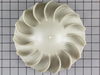
Dead motor
1. Shut off gas and disconnected dryer.
2. Opened cabinet. Easy sheet metal screws and fairly obvious how everything goes together. NB: You'll need a block (or a helper to hold things while you run to look for one) to hold the drum while removing the front.
3. The motor is connected with a single harness, so wiring is a snap.
4. Removing the blower wheel from the back was hard. I braced the motor shaft and turned with all the leverage I could muster, but it was stuck. Plan B: Recip saw to cut the shaft. Motor comes out one side and the fan comes out the other.
5. The fan, of course, was unusable because there was still a piece of motor shaft stuck in the thread. This is why I had to spring for a new wheel.
6. Put everything back together and receive wife's adoring praise...
2. Opened cabinet. Easy sheet metal screws and fairly obvious how everything goes together. NB: You'll need a block (or a helper to hold things while you run to look for one) to hold the drum while removing the front.
3. The motor is connected with a single harness, so wiring is a snap.
4. Removing the blower wheel from the back was hard. I braced the motor shaft and turned with all the leverage I could muster, but it was stuck. Plan B: Recip saw to cut the shaft. Motor comes out one side and the fan comes out the other.
5. The fan, of course, was unusable because there was still a piece of motor shaft stuck in the thread. This is why I had to spring for a new wheel.
6. Put everything back together and receive wife's adoring praise...
Parts Used:
-
Robert from Glencoe, IL
-
Difficulty Level:A Bit Difficult
-
Total Repair Time:1- 2 hours
-
Tools:Screw drivers, Socket set
17 of 24 people
found this instruction helpful.
Was this instruction helpful to you?
Thank you for voting!
Loud banging noise when running dryer
Found one of the two drum support rollers was badly worn. Found Partselect.com, found my parts in less then 2 mins. Figured that I was in there so I should just replace the belt so I got one of those also. Parts arrived in 3 days dryer as good as new in 20 mins.
Parts Used:
-
Joseph from Prospect Park, PA
-
Difficulty Level:Really Easy
-
Total Repair Time:15 - 30 mins
-
Tools:Nutdriver, Screw drivers
15 of 18 people
found this instruction helpful.
Was this instruction helpful to you?
Thank you for voting!
Rear Drum Seal started to come apart
Used the YouTube video sent by this site
Parts Used:
-
Brett from CRESCENT CITY, CA
-
Difficulty Level:Easy
-
Total Repair Time:30 - 60 mins
-
Tools:Nutdriver, Screw drivers
14 of 16 people
found this instruction helpful.
Was this instruction helpful to you?
Thank you for voting!
Change dryer belt
I opened up the dryer as per the instructions I had received from PartSelect tech support. It was very easy to do. The only unexpected thing was that the original belt had snapped and in doing so the idler pulley was actually laying on the floor of the dryer's bottom. I had to figure out how it went, but that only took a minute and I popped it back into place. I held the drum by hand while pulling the dryer face away so it wouldn't fall and then I slipped the belt over the drum and quickly closed the front up again. I aligned the belt on the spot where the old one had been, pulled it through the idler pulley and over the motor and voila. Done. I closed up the dryer and was on to another "Honey Do" project within 20 minutes.
Parts Used:
-
Scott from Bayport, NY
-
Difficulty Level:Easy
-
Total Repair Time:15 - 30 mins
-
Tools:Nutdriver, Screw drivers
14 of 16 people
found this instruction helpful.
Was this instruction helpful to you?
Thank you for voting!
drum very loud when rotating
First I raised the top of the dryer(after unplugging the power cord) disconnected two wires to the front door switch and then removed two screws using a nutdriver. The front cover lifts up and while supporting the drum set the cover aside. Slide the belt off the drum and remove it. I then removed the two support roller tri rings and replaced the rollers and tri rings and reassymbled the dryer.
It was a very simple repair.
Thanks Mike
It was a very simple repair.
Thanks Mike
Parts Used:
-
michael from indianapolis, IN
-
Difficulty Level:Really Easy
-
Total Repair Time:15 - 30 mins
-
Tools:Pliers, Screw drivers
13 of 15 people
found this instruction helpful.
Was this instruction helpful to you?
Thank you for voting!