UMV1170LW03 Whirlpool Microwave - Overview

Enter a part description. DIY Heroes keep it simple, eg. "belt" or "pump".

Search filter:
Clear Filter
Your search term must have 3 or more characters.
Grease Filter – Part Number: W10208631A
$36.25
In Stock
Grease Filter
★★★★★
★★★★★
(54)
Part #W10208631A
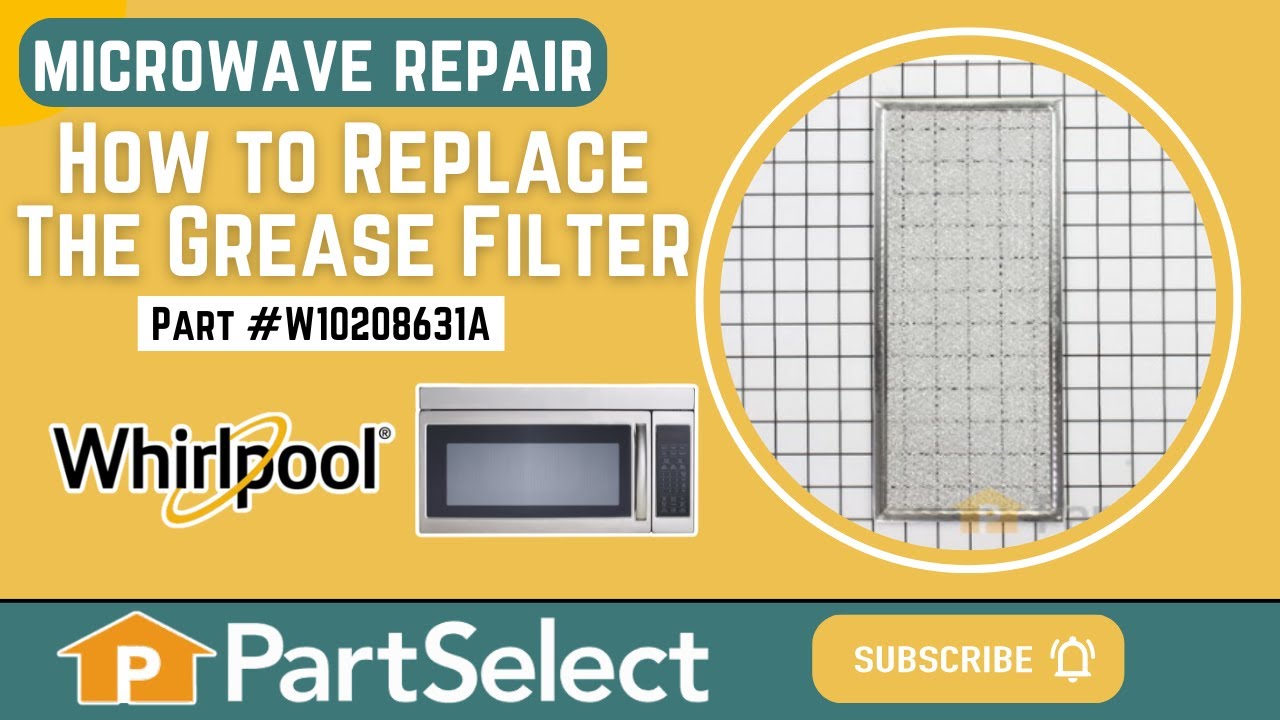
This Grease Filter is constructed of Acrylonitrile Butadiene Styrene and is used to trap grease and help eliminate odors from the exhaust air while cooking. It attaches onto the exhaust and is rated as easy to install. The part is 12 15/16" x 5 3/4", and comes in silver. Refer to your make and model number to ensure this part is right for you. If the exhaust fan of your appliance is not working, this part is the most likely cause. This part is sold individually, and it should be noted that many microwaves require two filters, so you may need to replace both at the same time by purchasing two of this part. You should consider gloves during this simple repair (which requires no tools) to save yourself from getting greasy hands.
Mounting Plate – Part Number: W11025649
$28.90
In Stock
R Ceramic Fuse 20 A – Part Number: W11707984
$47.21
In Stock
R Ceramic Fuse 20 A
★★★★★
★★★★★
(12)
Part #W11707984
This part protects the microwave by shutting it off if there is an electrical surge.
Microwave Damper – Part Number: W10843943
$91.76
In Stock
Microwave Damper
★★★★★
★★★★★
(5)
Part #W10843943
This assembly includes the damper door and frame.
Hardware Kit – Part Number: W10821385
$110.88
In Stock
Hardware Kit
Part #W10821385
This is a manufacturer-approved mounting kit for your microwave. This kit is crucial for keeping your microwave securely wall-mounted. This kit does not include the mounting plate itself. This kit comes in handy if you buy your microwave separately from the mounting kit.
MOTOR-TURN – Part Number: W10642989
$145.71
In Stock
MOTOR-TURN
★★★★★
★★★★★
(4)
Part #W10642989
This motor is used to rotate the cooking tray.
TEMPLATE – Part Number: W10190018
$9.85
In Stock
TEMPLATE
Part #W10190018
Microwave Spacer – Part Number: 8184109
$13.93
Special Order
Microwave Spacer
Part #8184109
Waterproof seal.
Noise Filter Board – Part Number: W10422269
$36.26
In Stock
Noise Filter Board
Part #W10422269
The purpose of this board is to smooth out the voltage in the microwave into a more usable level.
Light Bulb – Part Number: W11520384
$19.35
In Stock
Light Bulb
★★★★★
★★★★★
(1)
Part #W11520384
This genuine halogen light bulb provides bright, reliable illumination inside your microwave, making it easy to monitor food while cooking. Designed with a G9 base and rated at 120 volts and 40 watts, it delivers consistent lighting for safe and efficient use. Ideal for replacing a burned-out or dim bulb, this component is compatible with a wide range of microwave models. Installation is simple—just remove the old bulb and insert the new one following your appliance’s instructions.
Light Socket – Part Number: WPW10210878
$35.15
In Stock
Light Socket
Part #WPW10210878
Mounting Bracket – Part Number: W11026306
$9.85
In Stock
Mounting Bracket
Part #W11026306

Common Symptoms of the UMV1170LW03

How this model fails, and the parts that fix it.

Watch our pros, then fix it yourself.

See how others fixed this model. Time, tools, difficulty, and steps that lead to victory! View More

Search repair tips from other customers using simple keywords like "replace", "fit", "remove", "inspect". DIY doesn't mean you have to do it alone!

Search filter:
Clear Filter
Your search term must have 3 or more characters.
Microwave turntable does not work
33 of 41 people found this instruction helpful.
  • Todd from San Bernardino, CA
  • A Bit Difficult
  • More than 2 hours
  • Pliers, Screw drivers
My unit is a wall mount/cabinet/built-in model. The repair is actually fairly simple once you determine that the actual microwave is just a component of the entire unit, and that it (the microwave) can be easily removed from the unit. I did not figure this out until after I removed the entire unit (disconnect the power supply, lift the entire bulky, heavy unit out of the cramped space in the cabinet, etc). Once I got it out I figured out how easy it is to remove the actual oven - a couple of screws, literally. The unit is a bit bulky, but not particularly heavy and is quite manageable. I did this entire process alone.

I got the oven out, rolled it on it's side and found the plate to access the motor. The plate is located on the bottom/underside of the unit. The plate is nothing more than a section of the underside of the metal housing that has been cut-out as an access point. This "cut-out" is not complete - that is, not completely cut out so as to all the plate to stay in place without the need for screws, etc, until you actually have to use it. I used a pair of dykes to cut the couple of points still connecting this plate, removed the two phillips screws to remove the motor, disconnected the two wires connected, then reversed to complete the repair. You then flip the cut-out plate over/rotate it, and some screw holes line up. Find a couple of small screws, and re-attach the plate to cover the motor.

The actual fix is really easy, again, once you figure out the simple way to remove the oven. I am an idiot, so you will probably find this much easier. I could probably do this repair now, after my experience, in less than 30 minutes (probably less than 15 minutes). I probably save a couple hundred $ by doing it myself so was well worth the time to do it. Good luck.
Was this helpful?
Thank you for voting!
Microwave wouldn't turn on and found breaker been tripped and then microwave wouldn't turn on at all.
31 of 55 people found this instruction helpful.
  • Daniel from DECATUR, GA
  • Easy
  • 30 - 60 mins
  • Pliers, Screw drivers
Read some instructions and easily found the fuse. Replaced it. Still didn't work. Took control panel off to check door switches. Nothing I read mentioned a second fuse. Tested and it to had blown. Ordered another one. Popped them in. Done.
Was this helpful?
Thank you for voting!
Microwave Turntable Won't Rotate
11 of 18 people found this instruction helpful.
  • Steven from Sacramento, CA
  • A Bit Difficult
  • 30 - 60 mins
  • Screw drivers
I turned off the power to the oven at the breaker. I then removed the side trim pieces by removing the screws located behind the lower oven door. I removed the plastic trim pieces above and below the microwave oven and removed the control panel and slid it into the opening above the microwave. I located the two screws securing the mic rowave into the frame and began sliding it out. I had to disconnect a small wiring harness and two wires from the microwave that were attached inside the opening above the microwave. The microwave section was the easily slid out, turned on it's side where the turntable motor was accessed by removing the access panel. I pulled the old motor, checked resistance and it matched the new motor. I then checked the old motor by applying 120V to it and it ran FINE! I thought I had the wrong part, but decided to install the new motor anyway. I did, secured the access panel and replaced the microwave in the frame. I reconnected the wires and secured the control panel and tested the microwave...and the turntable works!
Was this helpful?
Thank you for voting!