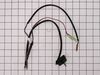
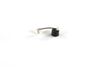
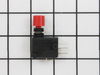
Unscrew and detached front and back panels, and inside framework holding the sheet metal to the body, after removing the sheet metal, unscrew the box enclosing the control board, use needle nose pliers to unhook the sensor module from the board and place the new sensor into the spots where the old sensor was connected (thermostat area, humidity Sensor, bucket switch, and control board). Close up the unit and your good to go.
Note: The error code and bucket full indication is a result of a malfunction in the sensor assembly (p/n 6877A30013M. To replace the sensor assembly, do the following: (1) remove rear panel; 2) remove the front panel cover and remove bucket; 3) remove main cover (covers center of unit); 4) Remove cover over PC board on top right side of unit looking at it from the rear; 5)unplug sensor assembly connect on the main PC board; 6) remove clip that holds the temperature sensor on the compressor output tube ( this is a very strong clip)(also take a small piece of emery cloth and clean the output tube where the clip was attached); 7) use a tapered tool to spread the clip, just removed to, allow the temperature sensor to be removed from the clip; 8) unplug the bucket full switch connector; 9) remove the humidity sensor from the evaporator coil (just a snap-on connection; 10) remove the entire sensor assembly that was just disconnect during steps 1) thru 9) and reinstall the new assembly using the previous steps in reverse order; 11)Plug the unit in and all should be a go!